I like Gemini CLI AI agent because:
- it is open-source and has cli interface
- it built-in with Google search and webfetch
- it shares technology with Gemini Code Assist
Just follow the quickstart guide at the GitHub repo: Gemini CLI. I just install the command-line AI workflow tool from Google.
Quickstart#
Here’s my setup:
- Setup Node.js1 (> v18.x).
- Install Gemini-CLI with
npm. - Simply start with
gemini. - Pick
Ayu Lighttheme. - Select
Login with Googleauthenticate mode.
Show Version#
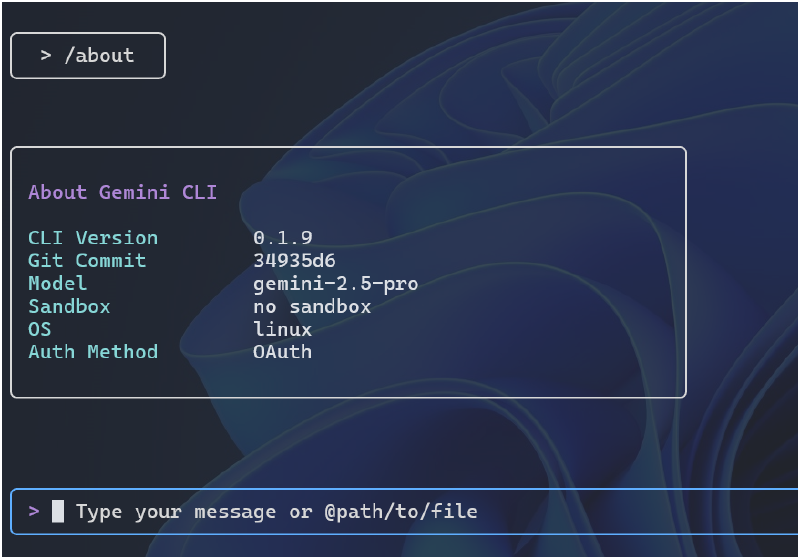
At the cmdline, we can check the gemini-cli version:
xx@pf22:~$ gemini -v
0.1.9
Or, in the gemini app, we can type /about to have the about screen.
Show Help#
At the prompt, simply /help will show the help screen commands.
Here’s the list of commands:
Commands:
  /help - for help on gemini-cli
  /docs - open full Gemini CLI documentation in your browser
  /clear - clear the screen and conversation history
  /theme - change the theme
  /auth - change the auth method
  /editor - set external editor preference
  /privacy - display the privacy notice
  /stats - check session stats. Usage: /stats [model|tools]
  /mcp - list configured MCP servers and tools
  /memory - manage memory. Usage: /memory <show|refresh|add> [text for add]
  /tools - list available Gemini CLI tools
  /about - show version info
  /bug - submit a bug report
  /chat - Manage conversation history. Usage: /chat <list|save|resume> [tag]
  /quit - exit the cli
  /compress - Compresses the context by replacing it with a summary.
  ! - shell command
Logout/Quit#
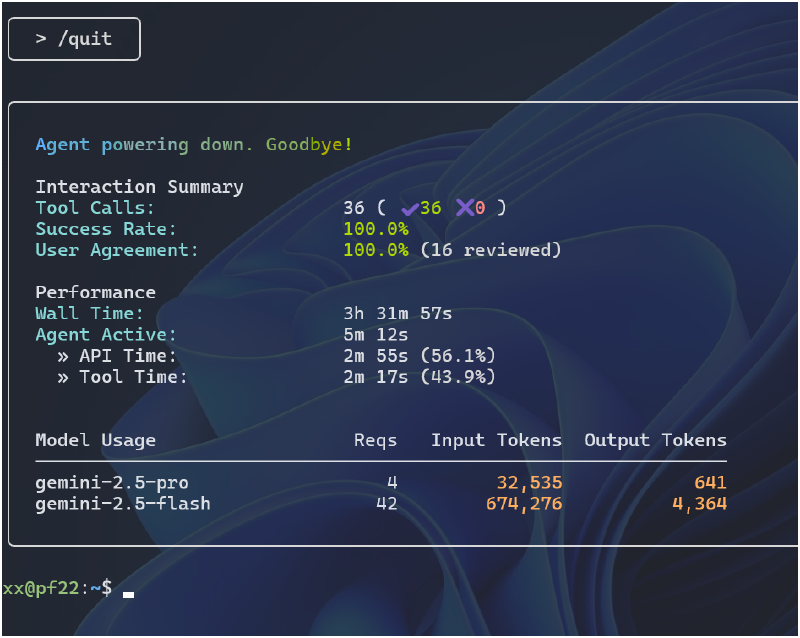
To exit the app, type /quit.
Links#
GitHub repo: Gemini CLI
Google Blog: Gemini CLI: your open-source AI agent
Update (7/7/2025)#
Here’s a 2-min introduction on Gemini-CLI. It comes with:
- free usage limits: Gemini 2.5 Pro with 1 million token context window
- 1K requests per day or 60 requests/min
- open source
Update (31/7/2025)#
This is about the management of gemini-cli.
To install the absolute latest version available, just re-run the initial installation cmd:
xx@pf22:~$ npm install -g @google/gemini-cli
Alternatively, we can use update cmd to update the npm package:
xx@pf22:~$ npm update -g @google/gemini-cli
And, here’s the what I get after updating it.
xx@pf22:~$ gemini -v
0.1.15